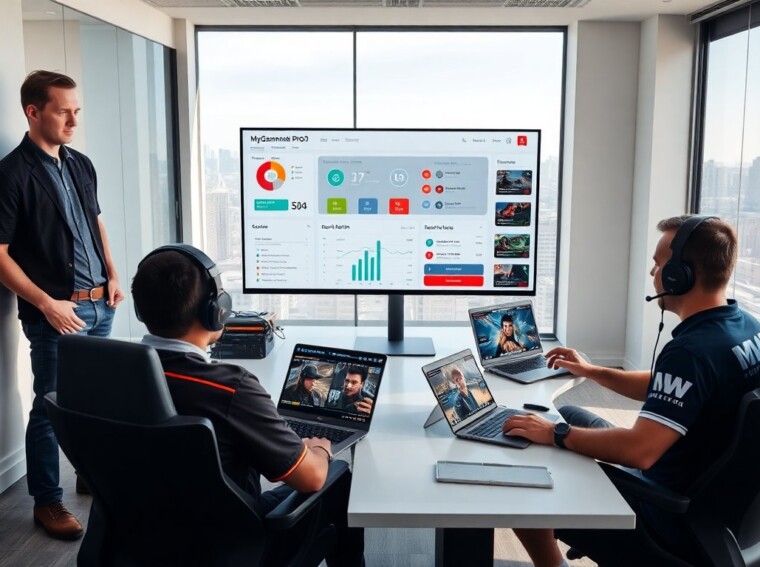
MyGamerank Pro Gaming helps players track progress and improve match results. It gives clear scorecards, trend charts, and match breakdowns. Players use it to find weak spots and set practice goals. Coaches and competitors use it to compare players and plan training. The tool fits solo players, teams, and organizers who want data-driven improvement.
Key Takeaways
- MyGamerank Pro Gaming provides competitive gamers with clear scorecards, trend charts, and match breakdowns to track progress and improve results.
- The platform ranks players using weighted ratings that factor in recent form, opponent strength, and role contribution for accurate skill measurement.
- Players should focus on key metrics like impact per round, error rate, and decision timing to set actionable practice goals through MyGamerank Pro Gaming.
- Teams and coaches can leverage MyGamerank Pro Gaming for data-driven training plans, replay analysis, and strategic match preparation.
- MyGamerank Pro Gaming offers free and paid tiers, with advanced metrics and coaching tools available in the paid version to enhance long-term improvement.
- Using MyGamerank Pro Gaming data fosters clear communication among players, coaches, and teammates by focusing on evidence-based feedback rather than blame.
What MyGamerank Pro Gaming Is And Who Should Use It
MyGamerank Pro Gaming is a performance platform for competitive gamers. It collects match data, cleans the logs, and shows simple, actionable reports. It scores players on skill, consistency, and impact. It shows trends by day, week, and month.
Teams use MyGamerank Pro Gaming to compare rosters and decide who should start. Individuals use MyGamerank Pro Gaming to set practice targets and track progress. Coaches use MyGamerank Pro Gaming to build drills that match actual match weaknesses. Tournament organizers use MyGamerank Pro Gaming to seed brackets and verify player levels.
MyGamerank Pro Gaming supports popular titles and links to common APIs. It pulls stats for kills, deaths, assists, objectives, accuracy, and timers. It also stores replay files and highlights. It gives a single view so users do not switch between multiple sites.
The interface shows a main score, sub-metrics, and recent-match cards. The main score summarizes recent play and weights recent matches more heavily. The sub-metrics show role-specific skills, such as aim for shooters and macro for strategy games. The recent-match cards let users jump to moments they must review.
MyGamerank Pro Gaming offers free and paid tiers. The free tier gives basic reports and recent-match history. The paid tier gives deeper metrics, long-term trends, and coach tools. Small teams often start on the free tier and upgrade when they need more history or custom reports.
People who should use MyGamerank Pro Gaming include motivated players, coaches who want evidence-based plans, team managers who must justify roster moves, and event staff who need fair seeding. Casual players who want only social features may not need MyGamerank Pro Gaming.
How MyGamerank Pro Measures Skill: Ranking, Metrics, And Match Analysis
MyGamerank Pro Gaming ranks players using a weighted rating that factors recent form and match quality. It counts opponent strength, match length, and role contribution. It reduces noise by dropping outlier matches and by smoothing sudden swings.
The platform shows three metric groups: core performance, situational impact, and consistency. Core performance covers basic actions per minute, accuracy, and objective control. Situational impact measures clutch actions, map control, and objective timing. Consistency tracks variance across matches and penalizes extreme swings.
MyGamerank Pro Gaming also gives a matchup score. The matchup score predicts how a player will perform versus a given opponent or team. It uses head-to-head history, playstyle tags, and recent form. Teams use the matchup score to plan picks, bans, and role swaps.
Replay analysis breaks matches into phases. The phases show opening, midgame, and endgame decisions. The tool tags mistakes and successful plays. It links tags to short video clips so users can review exact moments.
The ranking uses a visible decay rule. If a player does not play ranked matches, the score drops slowly. The decay motivates regular play and keeps leaderboards current. MyGamerank Pro Gaming also shows a confidence interval so users see how stable a score is.
The system gives a public leaderboard and private team leaderboards. Public boards promote competition. Private boards help teams track internal progress without public pressure. The platform offers weekly summaries and alert emails when a player hits a new high or a concerning drop.
MyGamerank Pro Gaming integrates with coaching workflows. Coaches can tag clips, mark training tasks, and assign them to players. The platform exports CSVs for advanced analysis and supports API access for automation.
Practical Tips For Using MyGamerank Pro — Metrics To Track, Training Plans, And Competitive Integration
Players should focus on three metrics first: impact per round, error rate, and decision timing. Impact per round shows contribution to wins. Error rate counts avoidable mistakes. Decision timing measures how often a player acts too early or too late.
They should set one-month goals and one-week tasks. A one-month goal might be to raise the main MyGamerank Pro Gaming score by a set amount. A one-week task might be to reduce error rate by 10% in ten ranked matches. Short tasks create steady progress.
Training plans must link to match evidence. If MyGamerank Pro Gaming highlights aim drops in late matches, the plan should include fatigue drills and shorter warm-ups. If the tool shows poor objective timing, the plan should contain timed scenario drills and focused review of those replay clips.
Teams should run weekly review sessions. They should watch flagged clips and discuss three fixes per clip. They should assign one player to practice a chosen role and one to test a new strategy. MyGamerank Pro Gaming clips speed this process because coaches can jump to exact moments.
During tournament prep, teams should use the matchup score. They should simulate enemy tendencies shown in the reports and practice specific counters. They should also monitor confidence intervals to set realistic expectations for each player.
For solo players who want to climb leaderboards, the key steps are: review the last five matches, pick two metrics to improve, set two daily drills, and track progress in MyGamerank Pro Gaming. Small, consistent changes add up.
Finally, players should use the platform data to communicate with coaches and teammates. Clear data reduces blame and focuses talk on actions to change. MyGamerank Pro Gaming makes those conversations factual and fast.